Administration
Administration (the Settings icon, labeled Administration in the product) is where you configure the tenant: identity, access, secrets, and integrations. It is a row of tabs.
| Tab | What it configures |
|---|---|
| Organization | Deployment mode, tenant mode, coverage, SSO status, version, identity, auth provider, network / CORS, and the security posture summary. |
| Team | Admin users — invite, assign roles, reset passwords, remove. Also Demo Accounts and User Activity. |
| Admin Privileges | Per-area access levels for administrators — read only, read-write, or full access on policies, connectors, agents, and more. See Admin Privileges. |
| Security | The security posture summary. |
| Authentication | The sign-in provider (username/password or SSO). See Authentication. |
| Limits | Rate and spend limits. |
| Audit Integrity | Audit-chain integrity status, storage health, and the tenant trust anchors. See Audit Integrity and Public Evidence Verification. |
| Integrations | SIEM, webhooks, notifications, UEM, and discovery connectors. See Integrations & Connectors and UEM & fleet coverage. |
| Layout | Saved dashboards — create, duplicate, set a default, and compose them from the widget library. See Widget Dashboard. |
Enrollment tokens live under Provisioning → Tokens, alongside the workspace that issues them. Agent roles are configured at enrollment — see Agent Roles.
Team — admin users
Under Team you manage who can sign in to the dashboard. Invite a colleague by email and assign a role — viewer, analyst, policy author, admin, or msp operator. Each member row lets you change the role, reset the password, or remove the member. You can also change your own password here (minimum 12 characters).
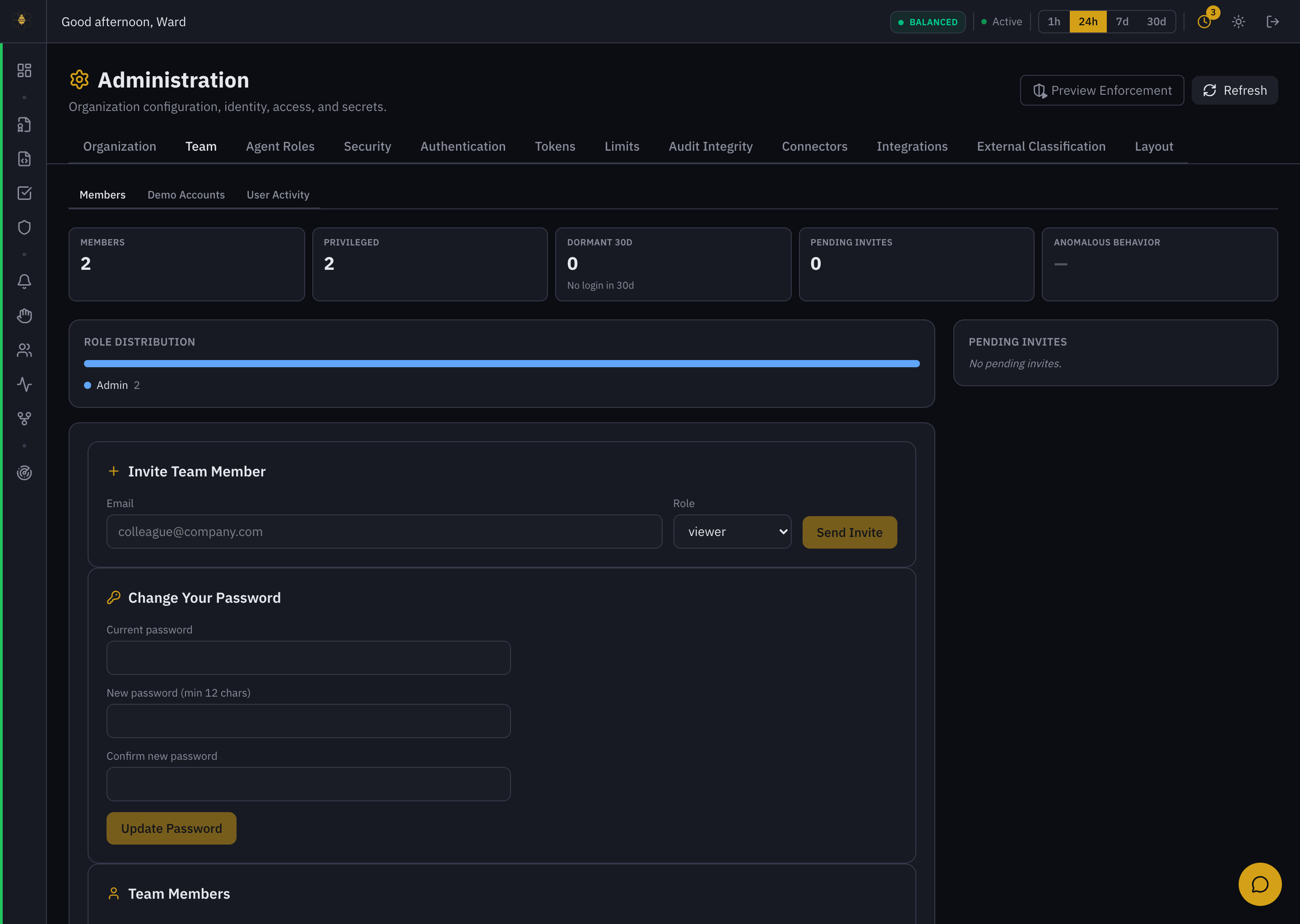 Administration → Team — invite a member, role distribution, change password, and the member list.
Team roles (viewer / analyst / policy author / admin / msp operator) control human access to the dashboard. Agent roles control what enrolled agents may do. They are separate systems. See User Roles for the full breakdown.
Tokens — on Provisioning
Token review lives on Provisioning → Tokens, not here. It lists Agent Enrollment Tokens and Browser Extension Tokens so you can review and revoke them, with a stat row tracking Issued / Active / Expiring 7d / Expired-Used / Compromised, an expiration risk timeline, and a token risk score.
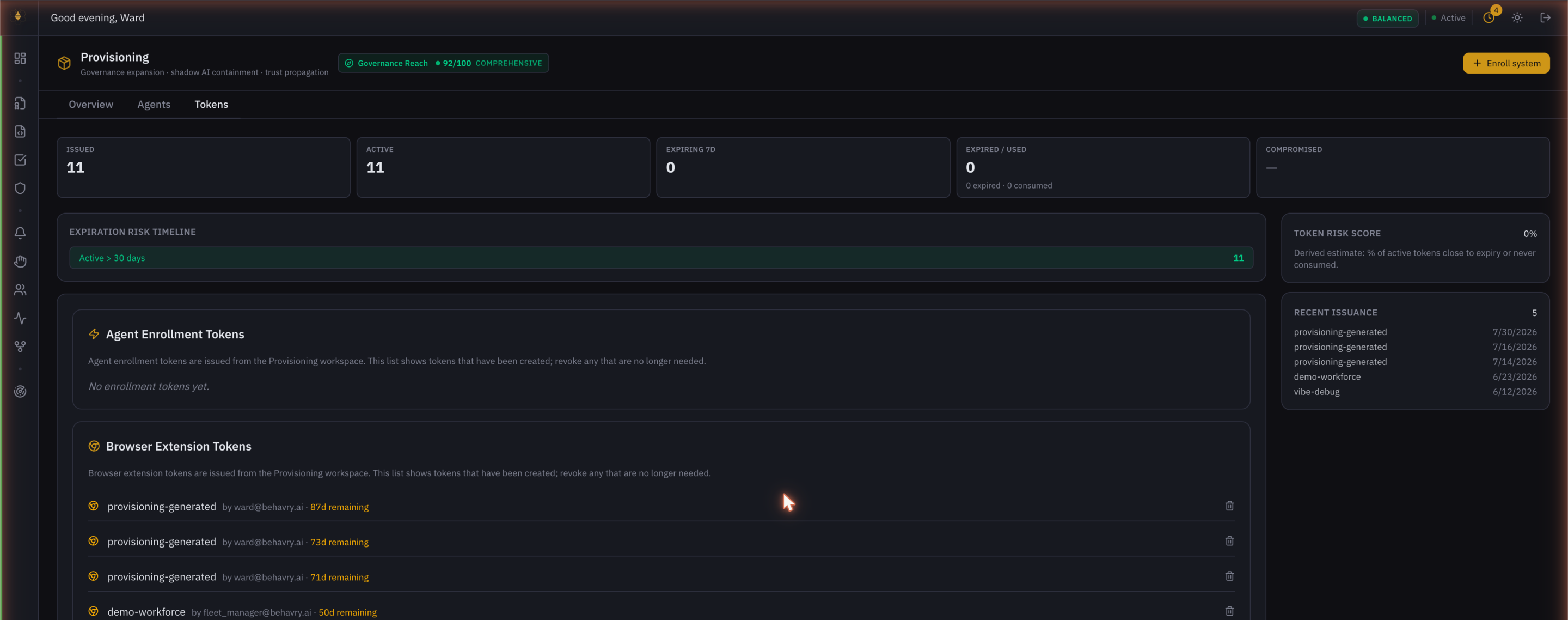 Provisioning → Tokens — enrollment and browser-extension tokens, issued and revoked in the same workspace.
Security posture (Organization tab)
The Organization tab summarizes the guarantees Behavry enforces for your tenant:
- Audit trail integrity — all events are hash-chained; input payloads are stored as SHA-256 hashes, so original content is never persisted. See Audit Integrity.
- DLP redaction — secrets and PII are detected and redacted; only the pattern type and a redacted sample are stored (e.g.
sk3***xyz). See DLP Scanner. - RS256 JWT signing — admin sessions use asymmetric RS256 JWTs.
- Tenant isolation — all data is scoped to a tenant ID; normal admins see only their tenant's data. See Multi-tenant.
Extension and enrollment tokens grant API access. Issue them from Provisioning, review and revoke them under Administration → Tokens, and rotate any token that may have been exposed.