What is Behavry
Behavry is the control plane for AI execution. It sits in the path between your AI agents and the systems they act on, so that every action an agent takes is authenticated to a real identity, evaluated against your policy, recorded in a tamper-evident log, and then allowed, modified, or blocked.
Behavry authenticates every action an AI agent takes, evaluates it against your policy, logs it tamper-evidently, and then allows, modifies, or blocks it.
Use the Build your manual page to pick the sections you need and generate a branded PDF of just those, from onboarding and daily operations to policy, insight, and administration.
Autonomous agents — Claude, ChatGPT, LangChain or CrewAI workflows, custom MCP clients, browser copilots, and desktop AI apps — increasingly act with real credentials against real systems. Left ungoverned, they read data, call tools, and change state with no identity, no policy, and no audit trail. Behavry closes that gap without asking you to rewrite your agents.
The model: Identity → Policy → Decision → Audit
Everything in the product follows one loop. Understanding it makes the whole dashboard legible:
- Identity. Each agent, IDE, browser, or connector is bound to an identity when you enroll it. Nothing reaches your systems anonymously.
- Policy. That identity carries RBAC roles. Roles are the permission tokens your policy rules match, so who the agent is determines what it may do.
- Decision. For every action, Behavry returns one of four outcomes — allow, modify, block, or escalate to a human.
- Audit. Every action and its decision are written to a hash-chained Decision Trace you can search, export, and turn into compliance evidence.
Where Behavry sits
Behavry governs an agent at whichever layer it runs. You can route an agent through the Behavry MCP proxy, wire a developer tool's MCP config to it, point a model client at the enforcement proxy, deploy the browser extension, or install a desktop Warden. Each surface is covered in Onboarding Your Fleet. Whatever the surface, the same Identity → Policy → Decision → Audit loop applies.
What you get
| Outcome | What Behavry gives you |
|---|---|
| Governance | Least-privilege control over what every agent may do, enforced in real time. |
| Security | DLP redaction, prompt-injection detection, and blocking of unsafe actions before they execute. |
| Observability | A complete, searchable record of agent behavior, with drift and anomaly detection on top. |
| Cost control | Visibility and guardrails on AI spend, since Behavry is already in the execution path. |
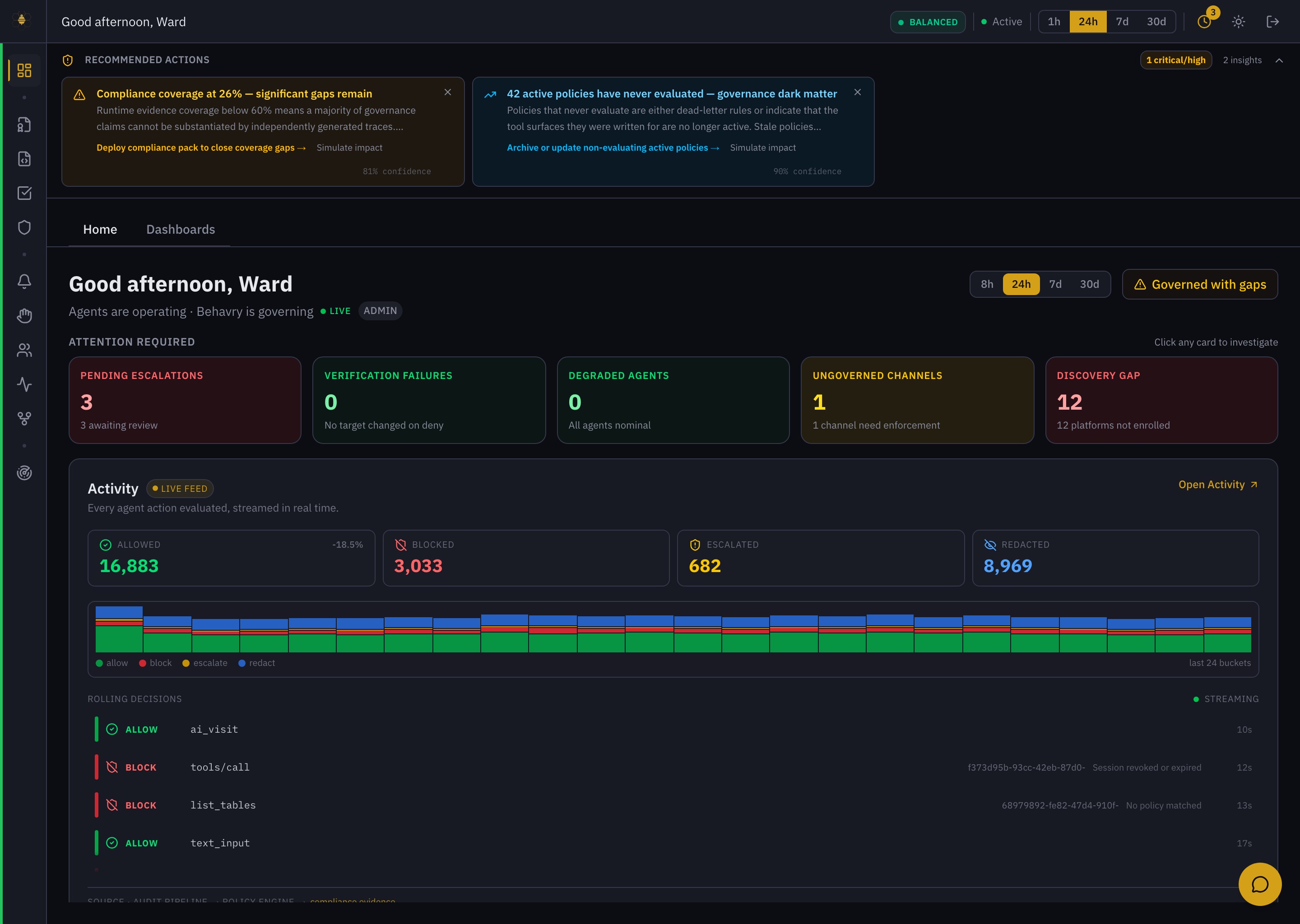 The Overview home — governance posture, Attention Required cards, and the live decision feed.
Who it's for
| Persona | What Behavry solves |
|---|---|
| CISOs | Auditability, compliance evidence, and least-privilege enforcement for AI. |
| Security architects | Policy-as-code for agent behavior, runtime enforcement, SIEM integration. |
| Platform engineers | One control plane to govern all agents — no per-agent instrumentation. |
| Compliance teams | Pre-mapped controls for SOC 2, ISO 27001, NIST AI RMF, EU AI Act, and more. |
Next steps
- Signing in & the dashboard — get oriented in the product.
- Core concepts — the vocabulary every operator needs.
- Onboarding your fleet — bring your first agent under governance.