Connecting IDEs & CLIs
Use IDE & CLI Enrollment to bring a developer tool under governance. One installer command patches the tool's MCP configuration in place, preserving any MCP servers already configured. You never hand-edit JSON.
From Provisioning, choose IDE & CLI Enrollment ("Connect IDE / CLI"). The drawer mirrors agent enrollment: name and roles, then pick the tool, then copy the command.
Supported tools
Each tool has a dedicated setup guide:
| Tool | Guide | Tool | Guide |
|---|---|---|---|
| Claude Code | Guide | Warp | installer |
| Claude Desktop | Guide | Zed | Guide |
| Cursor | Guide | Antigravity (Google) | Guide |
| VS Code (GitHub Copilot) | installer | Kiro (Amazon) | Guide |
| Windsurf (Codeium) | Guide | Codex CLI (OpenAI) | Guide |
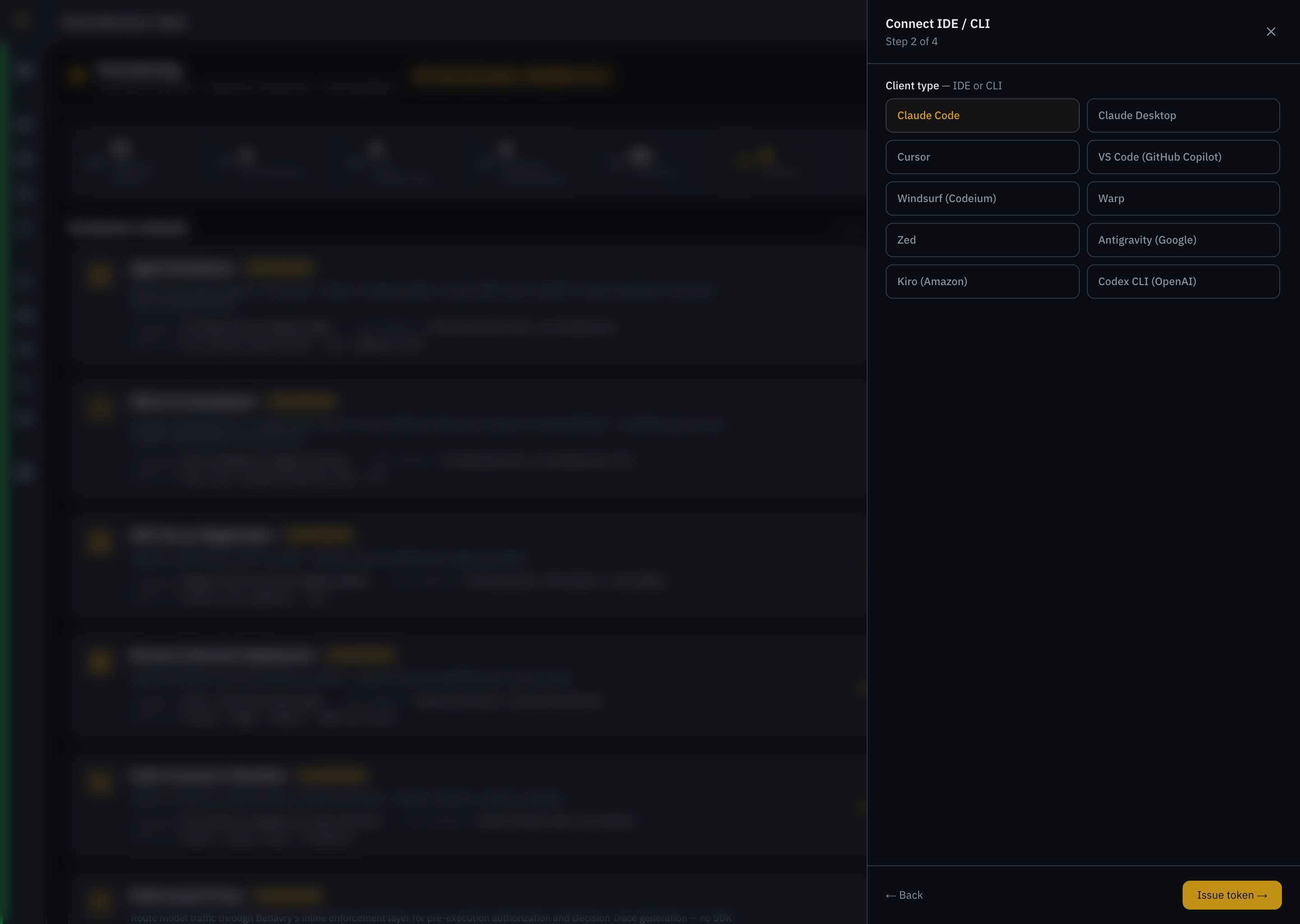 Connect IDE / CLI — Step 2, the tool picker (Claude Code, Claude Desktop, Cursor, VS Code, Windsurf, Warp, Zed, Antigravity, Kiro, Codex CLI).
Running the installer
Step 3 shows a one-line command with a macOS / Linux · Windows switch. It fetches short-lived credentials at run time using the token embedded in the URL — nothing secret is baked into the command you copy. For example, connecting Cursor:
# macOS / Linux
curl -fsSL https://<tenant>.behavry.ai/install/cursor.sh?t=<token> | sh

# Windows (PowerShell)
iwr -useb https://<tenant>.behavry.ai/install/cursor.ps1?t=<token> | iex
The installer patches the tool's config atomically (for Cursor, .cursor/mcp.json) and is idempotent — re-running it is safe and preserves your other MCP servers. Restart the tool afterward so it reloads its config, then return to the drawer's Verify step to confirm Behavry sees the connection.
The token in the install URL is valid for 15 minutes, single-use, and scoped to one agent + client — redeeming it for a different client fails. Generate a fresh command if it expires. Installer endpoints require HTTPS.
What each tool patches
| Tool | Config it patches |
|---|---|
| Claude Code | claude mcp add (native CLI — no file patch) |
| Claude Desktop | claude_desktop_config.json |
| Cursor | .cursor/mcp.json |
| VS Code (GitHub Copilot) | .vscode/mcp.json |
| Windsurf | ~/.codeium/windsurf/mcp_config.json |
| Zed | settings.json (context_servers) |
| Kiro | ~/.kiro/settings/mcp.json |
| Warp | ~/.warp/mcp/servers.json |
| Antigravity | ~/.config/antigravity/mcp.json |
| Codex CLI | YAML config — copy the shown snippet |
Other surfaces
- LLM APIs — point a provider base URL at the enforcement proxy: Anthropic · OpenAI · Gemini · Ollama.
- Browser — deploy the Browser Extension to cover Claude / ChatGPT / Gemini web apps.
- Autonomous agents & SDKs — see Enrolling Agents.
- Microsoft Copilot Studio — a SaaS surface you can't sit in the network path of. Make Behavry the only sanctioned MCP connector tenant-wide with a Power Platform data policy: Copilot Studio.
- Docker AI (Gordon), dev containers & WSL — route Docker's agent and container/WSL MCP clients through Behavry instead of Docker's MCP Gateway. Governance follows the MCP traffic, not the host: Docker AI (Gordon).
How the inline proxy works
Every in-flight call is authenticated, evaluated against OPA policy, scanned for sensitive content (DLP), rolled into behavioral baselines, and logged as a Decision Trace. For MCP clients, tools/list responses also pass through Context Gate.