Integrations & Connectors
Behavry connects to the systems around it — your SIEM, chat, data-classification providers, and the identity and SaaS admin APIs that reveal where AI is being used. All of these are configured under Administration, across the Connectors, Integrations, and External Classification tabs.
| What you're connecting | Where to configure it |
|---|---|
| SIEM & webhooks | Administration → Integrations → SIEM & Webhooks |
| Slack / email notifications | Administration → Integrations → Notifications |
| Microsoft Purview / Cyberhaven | Administration → External Classification |
| Discovery connectors (Okta, Entra ID, Slack AI, GitHub Copilot, …) | Administration → Connectors |
Streaming to your SIEM
Every governed action and alert can be streamed to your SIEM as it happens, from the same tamper-evident pipeline the dashboard reads. Behavry serializes events to your SIEM's preferred format and delivers them over an authenticated channel.
- Formats — JSON, CEF, or LEEF. Use CEF or LEEF for classic SIEMs (e.g. QRadar, ArcSight); JSON for modern log platforms. Splunk HTTP Event Collector (HEC) is supported with token authentication.
- Delivery — webhook deliveries are HMAC-signed with a shared secret so your receiver can verify authenticity, and can be filtered by minimum severity so you forward only what matters.
- Reliability — failed deliveries are retried and captured in a dead-letter queue; destination health and consecutive failures are tracked.
Configure destinations under Administration → Integrations → SIEM & Webhooks. On some deployments SIEM destinations are provisioned through deployment configuration — your Behavry contact will confirm which applies. You can verify status on Operations → Control Plane, which shows "No SIEM configured" until a destination is set. See also SIEM Integration.
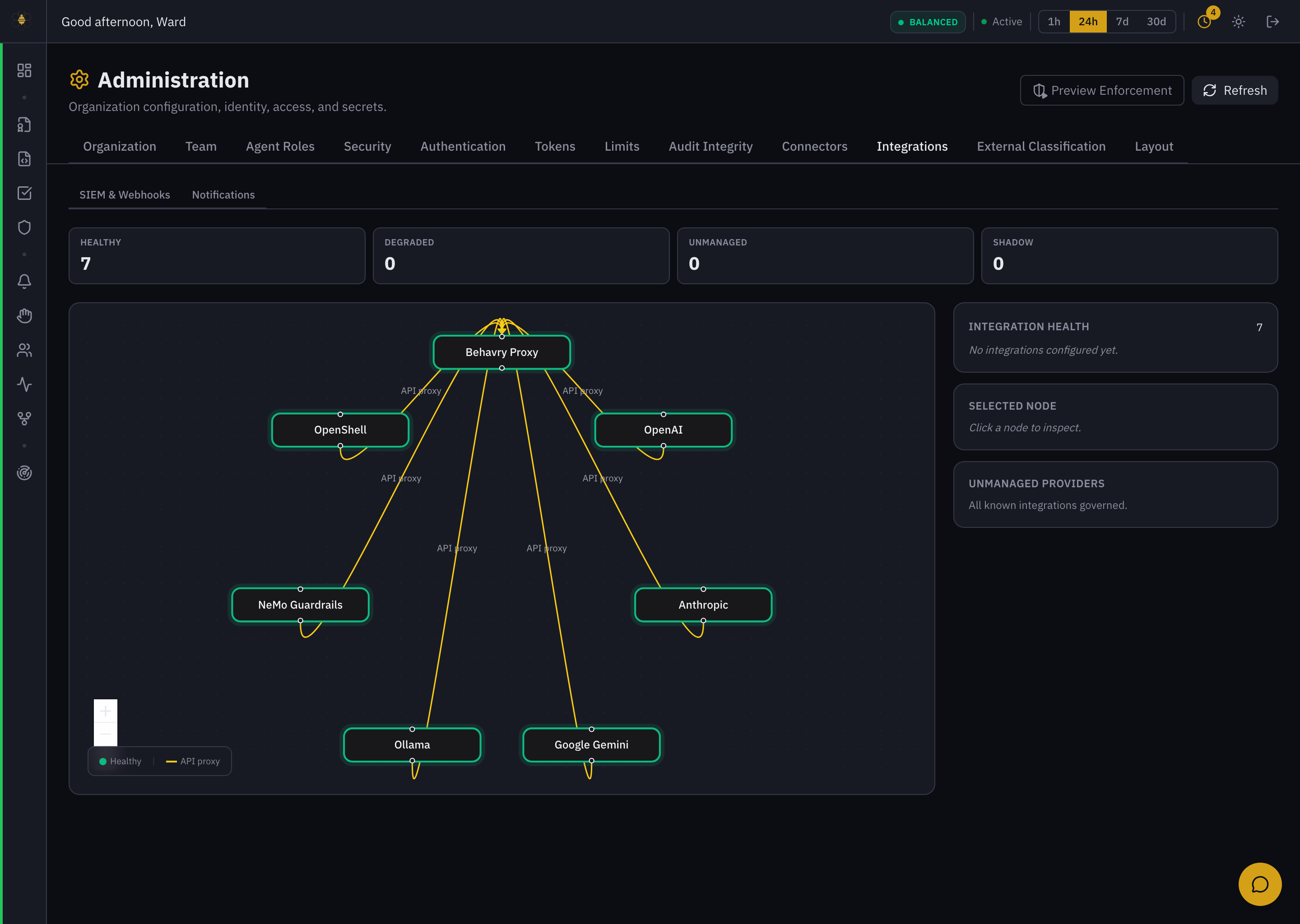 Administration → Integrations → SIEM & Webhooks — the enforcement/provider topology and integration health.
Notifications — Slack & email
Send Behavry notifications (alerts and escalations) to the people who need them. Configure channels under Administration → Integrations → Notifications → Add channel. Three channel types are available: SMTP Email, Resend Email, and Slack.
Connecting Slack
Choose the Slack channel type and provide two values:
- Bot Token (
xoxb-…) — a Slack bot token from a Slack app installed in your workspace, with permission to post to the target channel. - Default Channel ID (
C0XXXXXXXX) — the Slack channel that notifications post to by default.
Give the channel a label (e.g. "Security team Slack") and save. As an alternative, a Slack incoming-webhook URL can be registered as a webhook destination under SIEM & Webhooks — Behavry detects Slack URLs and formats events for Slack automatically.
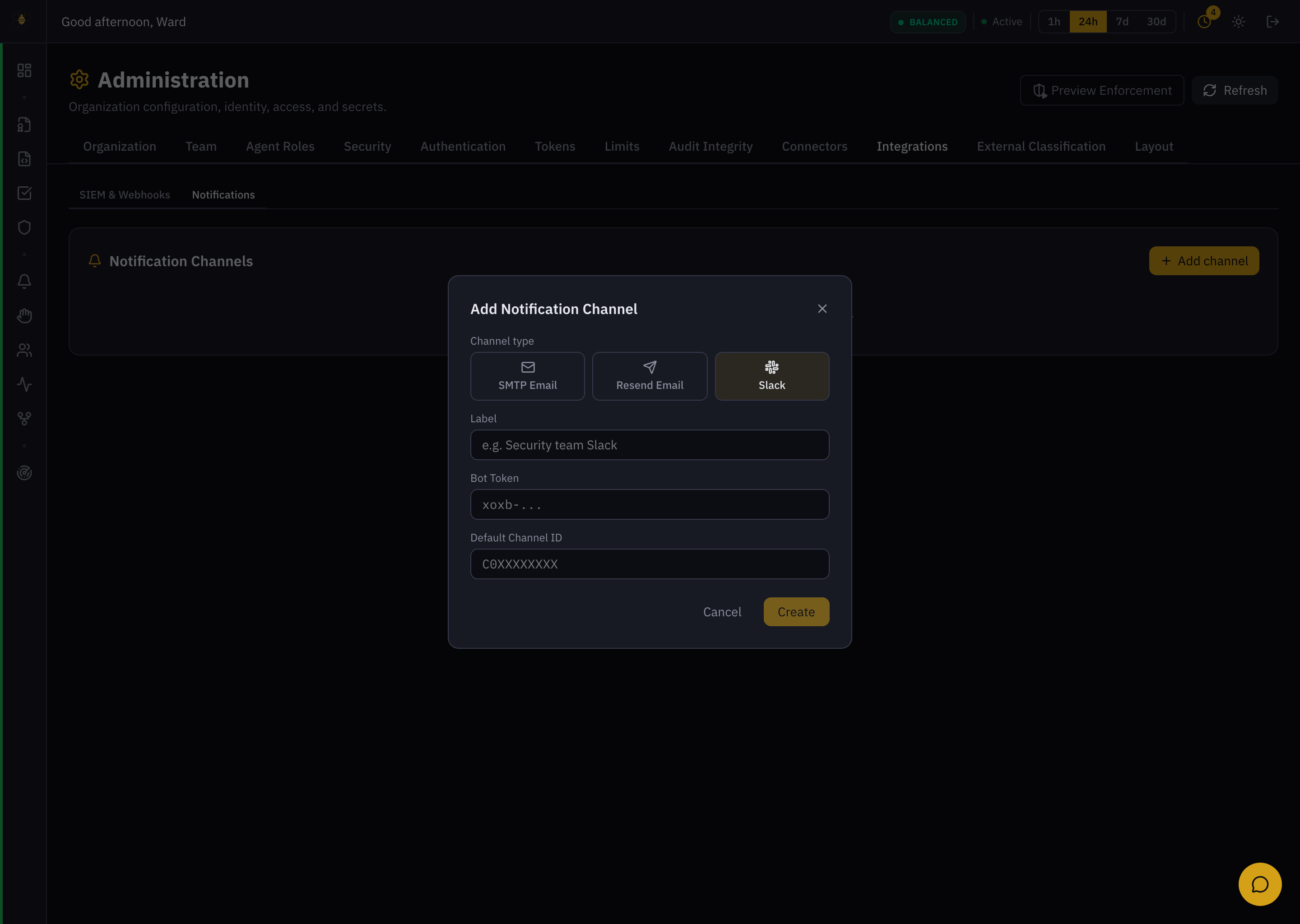 Administration → Integrations → Notifications → Add channel — Slack (Bot Token + Default Channel ID).
External classification — Microsoft Purview & Cyberhaven
External classification lets Behavry act on the sensitivity labels your organization already maintains, rather than only its own detection.
When enabled, Behavry ingests classification labels from Microsoft Purview or Cyberhaven so that policy and DLP can enforce on them — for example, blocking an agent from sending a file your organization has labeled "Highly Confidential," or escalating access to Purview-labeled records.
To configure a provider:
- Go to Administration → External Classification.
- Turn on Enabled.
- Choose a Provider — Microsoft Purview or Cyberhaven.
- Enter the provider's connection credentials (the fields appear once you select a provider) and save.
Once connected, external labels become available to policy conditions and DLP rules alongside Behavry's own classifications.
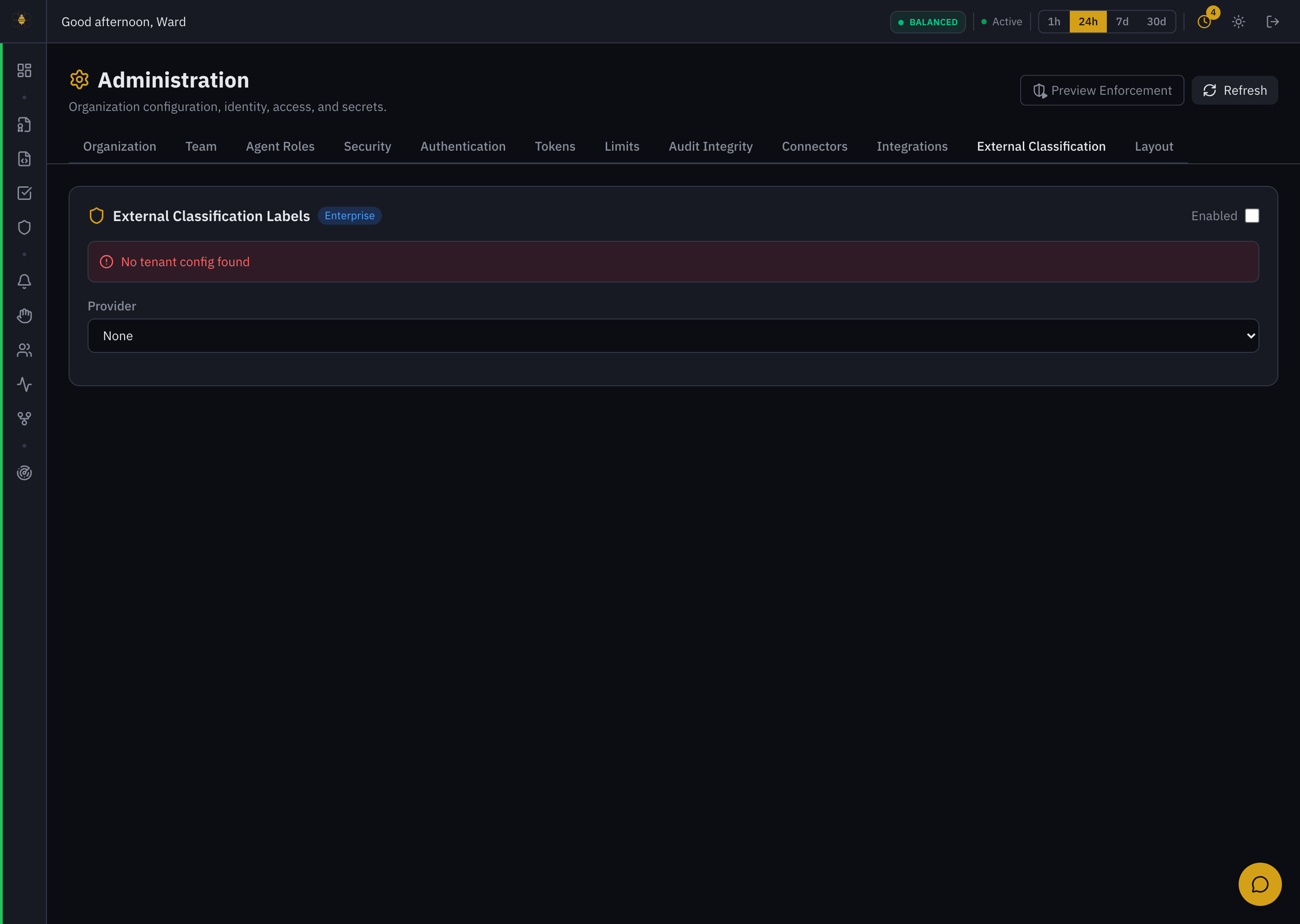 Administration → External Classification — Enabled toggle and Provider (Microsoft Purview / Cyberhaven).
Discovery connectors
Discovery connectors link your identity provider and SaaS admin APIs so Behavry can discover which AI features are licensed, enabled, and active across the organization. This feeds AI Exposure and shadow-AI detection. Add them under Administration → Connectors → Add Connector.
Supported providers: Okta, Azure AD / Entra ID, Google Workspace, Microsoft 365 Copilot, GitHub Copilot, Slack AI, Salesforce Einstein, Atlassian Intelligence, ServiceNow Now Assist, and Zendesk AI Agents. Each takes the provider domain, an API token, and a sync interval (in hours).
SIEM tokens, Slack bot tokens, classification-provider secrets, and discovery API tokens all grant access to external systems. Store them only in Behavry's connector configuration and rotate any that may have been exposed.