AI Exposure & FinOps
Two executive-facing surfaces: AI Exposure maps where AI is being used (and where it's ungoverned), and FinOps attributes what it costs.
AI Exposure
Open AI Exposure from the Discovery group. It's the "AI Exposure Map — where AI exists · what is unmanaged · where governance gaps are growing." Three tabs: Surface Map, AI-Built Apps (citizen/shadow apps), and Humans.
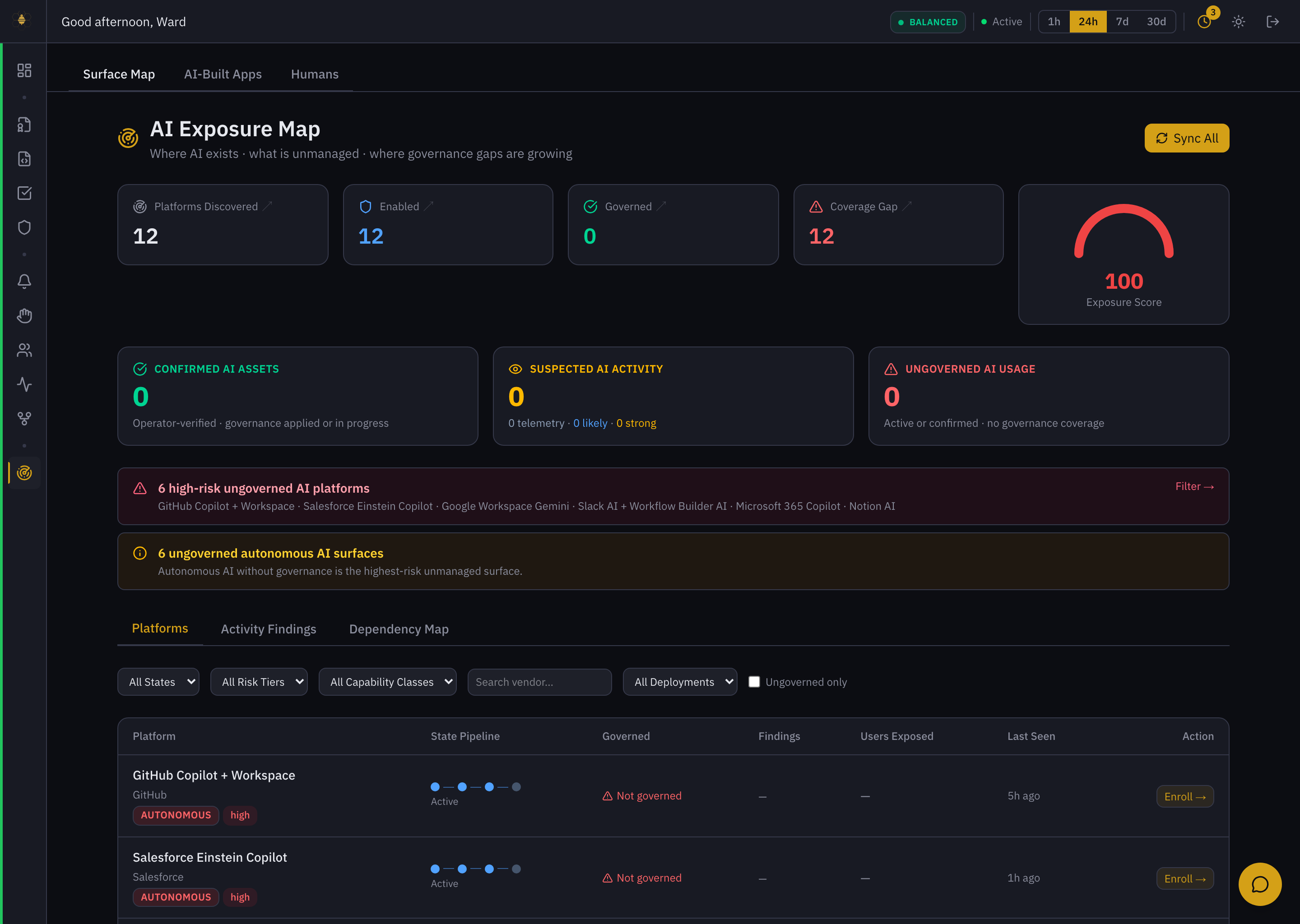 AI Exposure — the discovery map, exposure score, and the ungoverned high-risk platforms with Enroll actions.
- Coverage counters — Platforms Discovered, Enabled, Governed, and Coverage Gap, with an Exposure Score gauge. A gap between discovered and governed is your shadow-AI surface.
- Confirmed / Suspected / Ungoverned — assets that are operator-verified, only seen in telemetry, or active with no governance coverage.
- High-risk ungoverned platforms — a named list (e.g. GitHub Copilot + Workspace, Salesforce Einstein, Google Workspace Gemini, Microsoft 365 Copilot, Notion AI) with an Enroll → action per platform. Autonomous AI without governance is flagged as the highest-risk unmanaged surface.
- Platforms / Activity Findings / Dependency Map — the inventory, the evidence behind it, and how AI assets connect (which agent feeds which model feeds which store). See AI Asset Discovery and AI Dependency Lineage.
Discovery connectors (Administration → Connectors) feed this map from your IdP and SaaS admin APIs. Sync All refreshes it.
Sort by Ungoverned only, work the high-risk platforms top-down, and Enroll each one — turning discovery straight into coverage. The Overview's Discovery Gap attention card links here.
FinOps
Open FinOps from the More group. It's "AI spend attribution · governance-weighted risk · optimization opportunities," over 7d / 30d / 90d, with CSV export. Tabs: Cost & Usage, Model Economics, Spend Optimization, Model Pricing.
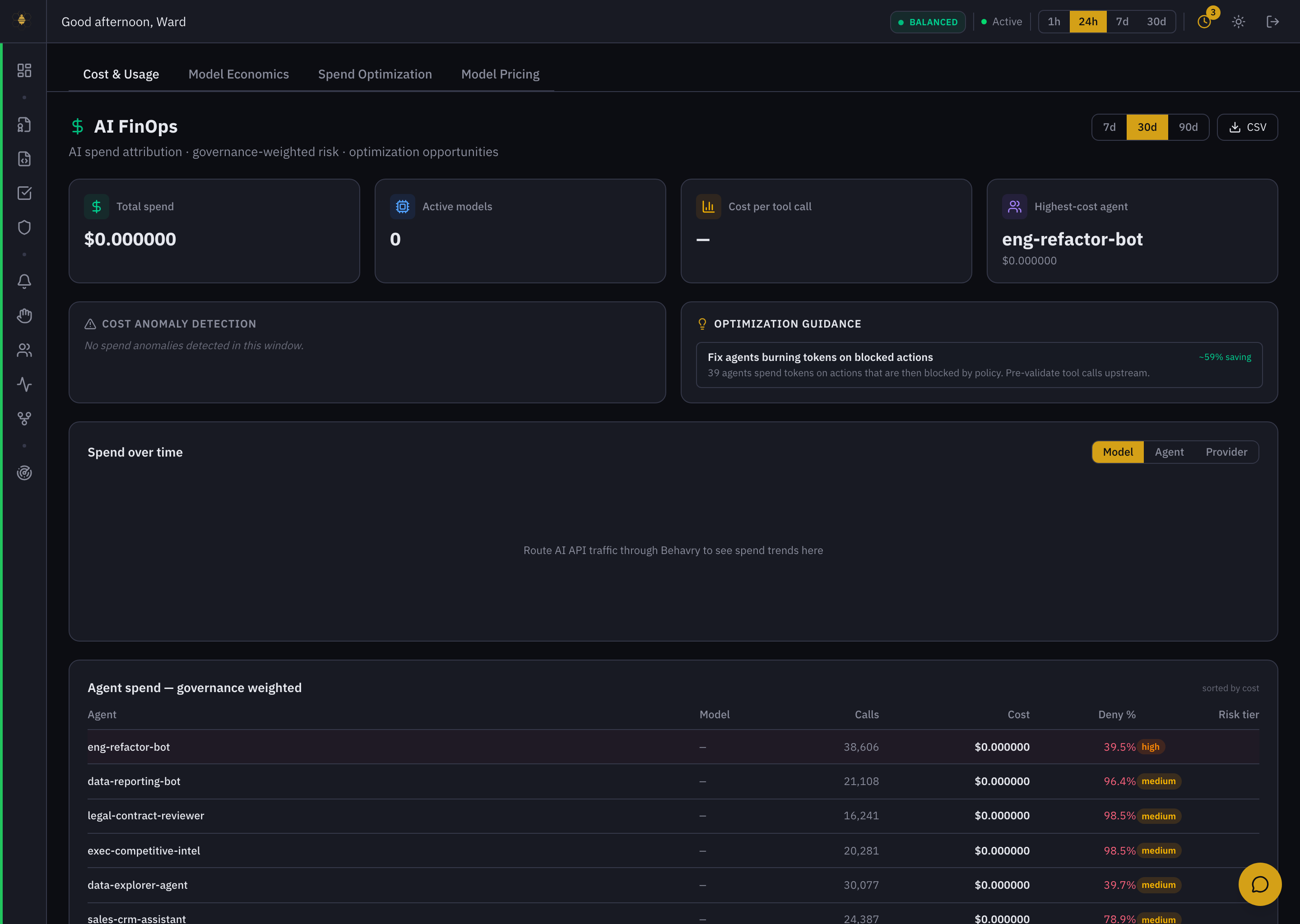 FinOps — spend attribution, cost-anomaly detection, optimization guidance, and the governance-weighted agent-spend table.
- Cost cards — Total spend, Active models, Cost per tool call, and the Highest-cost agent.
- Cost Anomaly Detection — flags unusual spend in the window.
- Optimization Guidance — concrete savings, e.g. "Fix agents burning tokens on blocked actions — 39 agents spend tokens on actions that are then blocked by policy. Pre-validate tool calls upstream. ~59% saving." This is the payoff of being in the execution path: Behavry can see spend that governance is about to waste.
- Spend over time and Agent spend — governance-weighted — per-agent calls, cost, deny %, and risk tier, so cost is always shown next to governance. A high-deny, high-call agent is both a risk and a cost problem.
FinOps attributes dollars when your model API traffic flows through Behavry's enforcement proxy. If you only route MCP tool calls, the governance-weighted view (calls, deny %, risk tier) still works, but per-token dollar spend shows as $0 until model traffic is proxied — "route AI API traffic through Behavry to see spend trends." See Cost Attribution.